
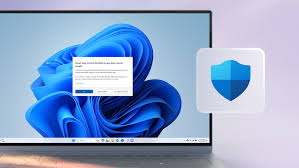
Choosing Windows 11 in 2026 is primarily a necessity for security, as Microsoft officially ended support for Windows 10 on October 14, 2025. Continuing to use older versions leaves your device vulnerable to new cyber threats without official security patches.
Beyond security, Windows 11 offers several functional advantages:
1. Essential Security and Support
- Security Updates: As of 2026, Windows 11 is the only consumer version receiving free, regular security and feature updates.
- Hardware-Based Protection: It requires TPM 2.0 and Secure Boot, which provides a hardware-level defense that makes the system twice as resistant to malware compared to previous versions.
2. Integrated AI (Microsoft Copilot)
- AI Companion: Microsoft Copilot is built directly into the OS to help with summarizing content, writing, and system settings.
- Creative Tools: AI-powered features in native apps include Generative Erase in Photos to remove objects and Cocreator in Paint for AI image generation.
- Copilot+ PCs: Specific hardware (NPUs) unlocks advanced features like real-time translation and enhanced "Studio Effects" for video calls.
3. Productivity and Interface Improvements
- Snap Layouts: This feature allows you to hover over a window's maximize button to quickly organize multiple apps into pre-defined grids, which is highly efficient for multitasking.
- Virtual Desktops: You can create distinct desktops for work, gaming, or personal use, each with its own wallpaper and set of open apps.
- Phone Link: Seamlessly connects your iPhone or Android device to your PC to send texts, take calls, and view notifications.
4. Gaming Performance
- Auto HDR: Automatically upgrades the lighting and color of older DirectX 11/12 games to High Dynamic Range (HDR) if you have a compatible monitor.
- DirectStorage: Enables the GPU to load game data directly from an NVMe SSD, significantly reducing loading times.
- Controller Integration: Improved support for Xbox Wireless Controllers and the built-in Xbox app for game management.
5. Modern Design
- Refreshed UI: Features a centered Start menu (which can be moved back to the left), rounded corners, and a more consistent "Fluent Design" aesthetic.
- Widgets: A dedicated board for personalized news, weather, and calendar updates.
Before upgrading, use the PC Health Check app to ensure your hardware meets the minimum system requirements, such as a compatible 64-bit processor and 4GB of RAM.